
Integrate Slack with FULFLLD
This guide walks you through how to integrate Slack with the FULFLLD platform to receive real-time notifications for key actions. By connecting Slack, you can streamline communication and automatically send important updates directly to your Slack channels, helping your team stay informed and take faster action without constantly monitoring the platform.
Prerequisites
- Access to Slack workspace (admin recommended)
- Access to FULFLLD Slack integration settings
- Target Slack channel created
Create a Slack App
-
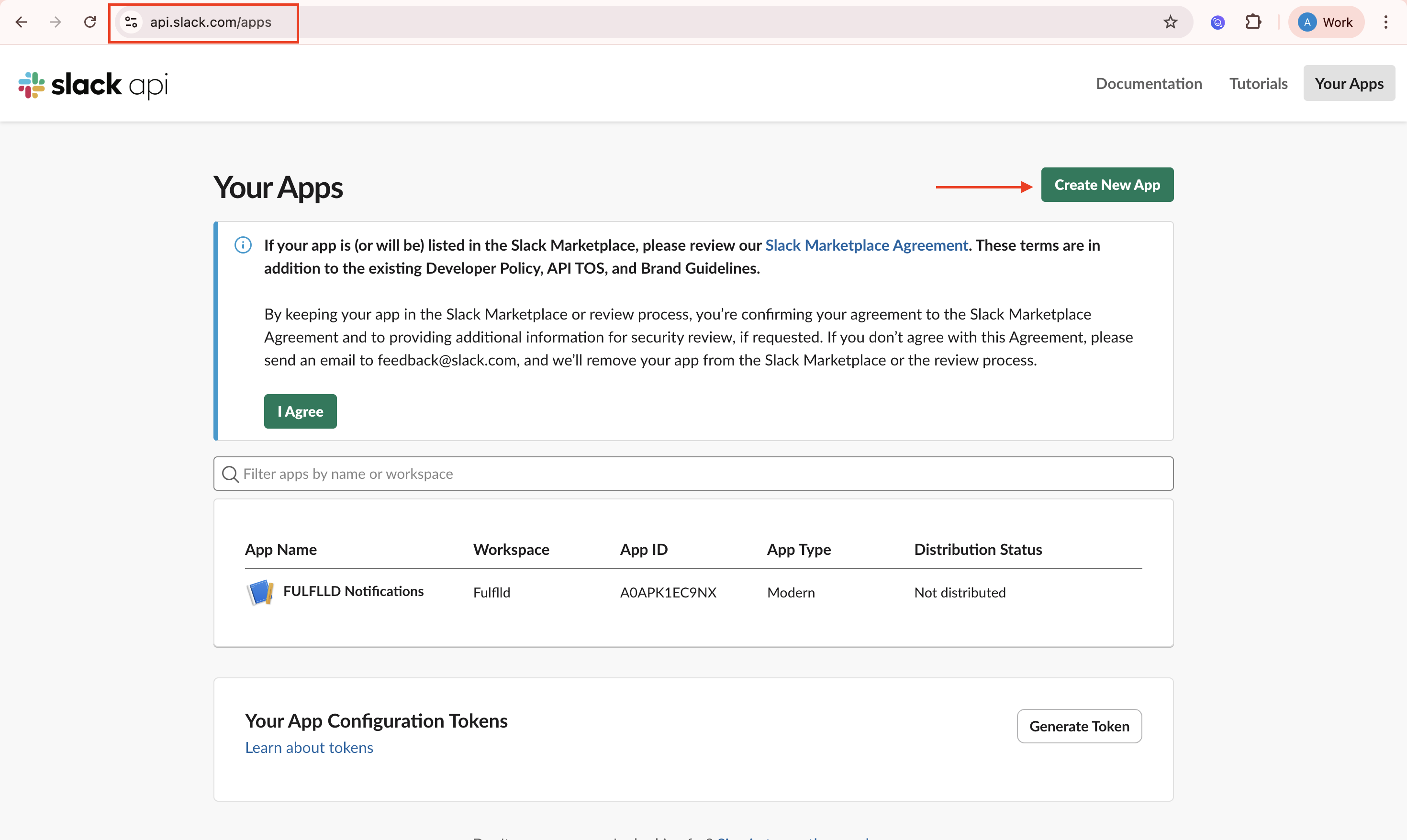
Go to https://api.slack.com/apps and click "Create New App"
-
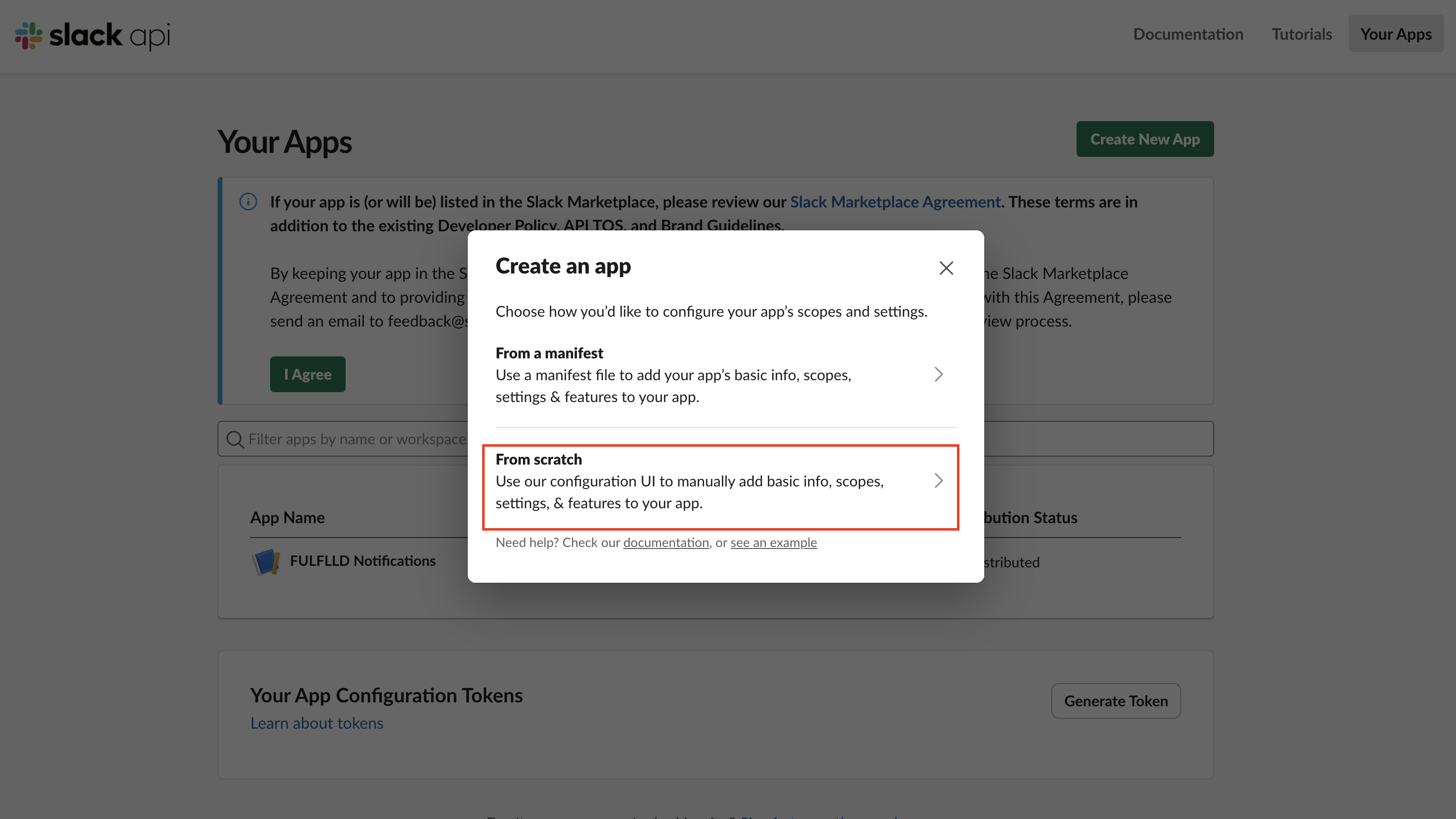
Select "From scratch"
-
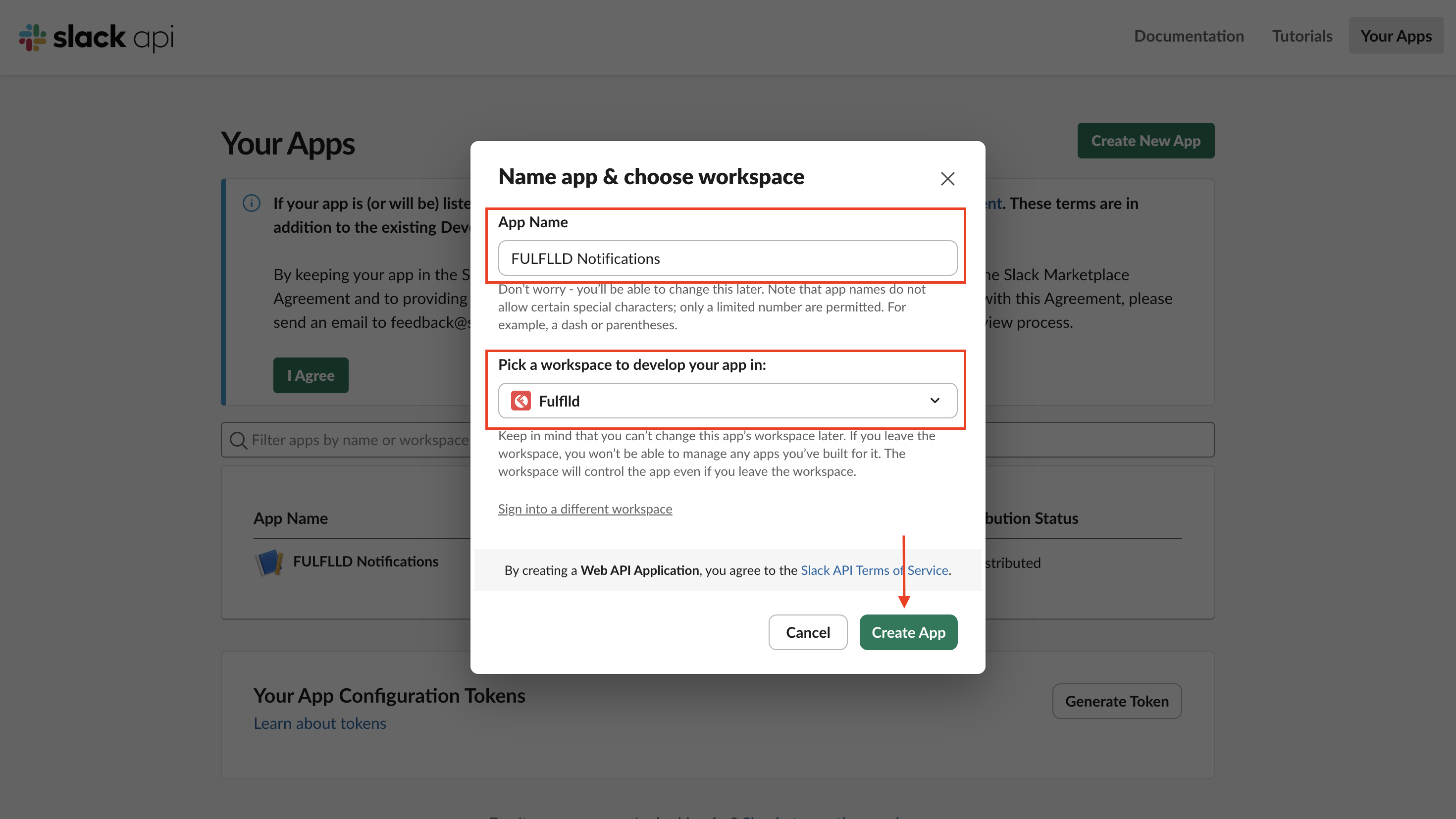
Enter App Name (e.g., FULFLLD Notifications), select your workspace and click "Create App".
-
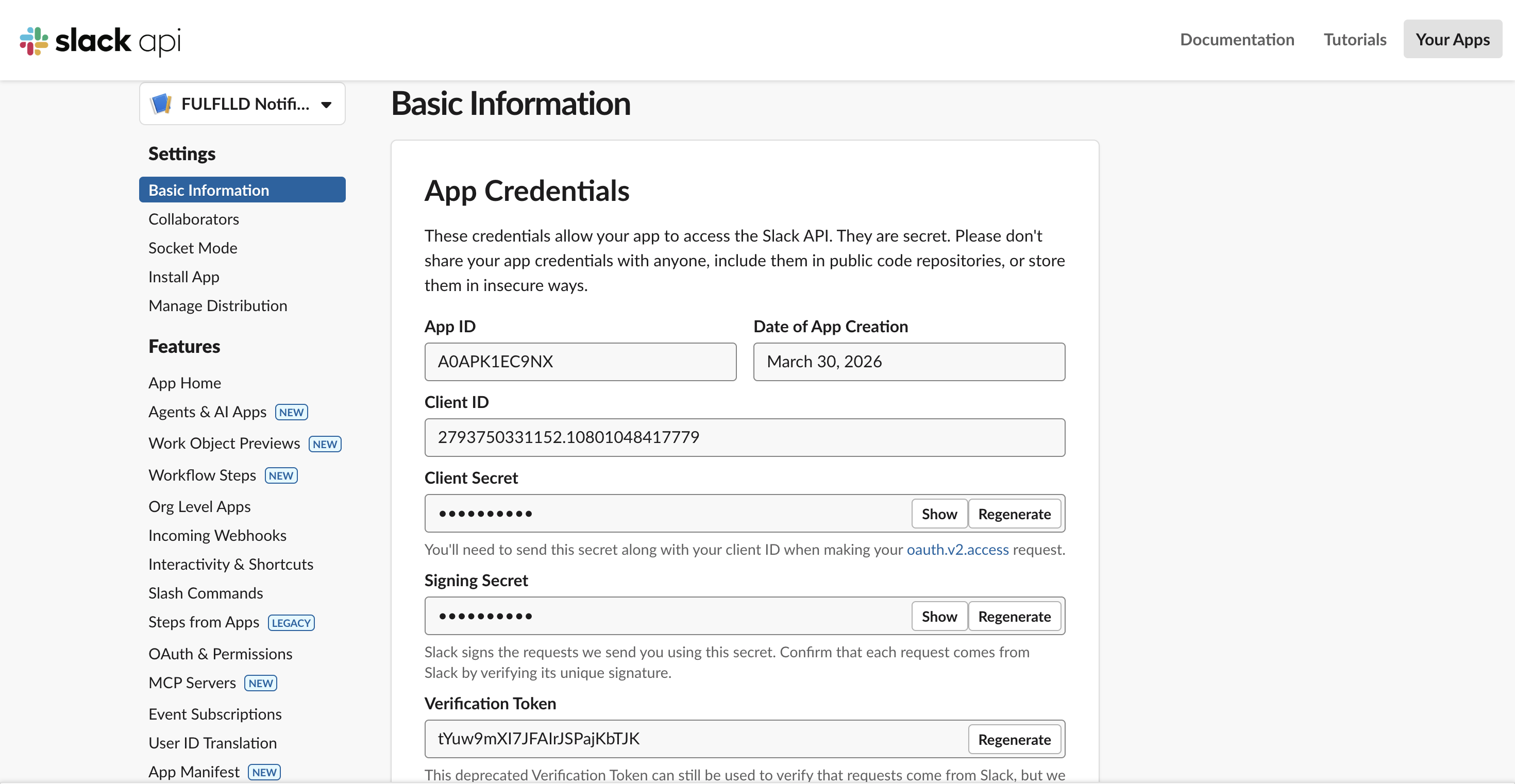
Once the app is created you will land on this page.
Add Permissions
-
Go to "OAuth & Permissions"
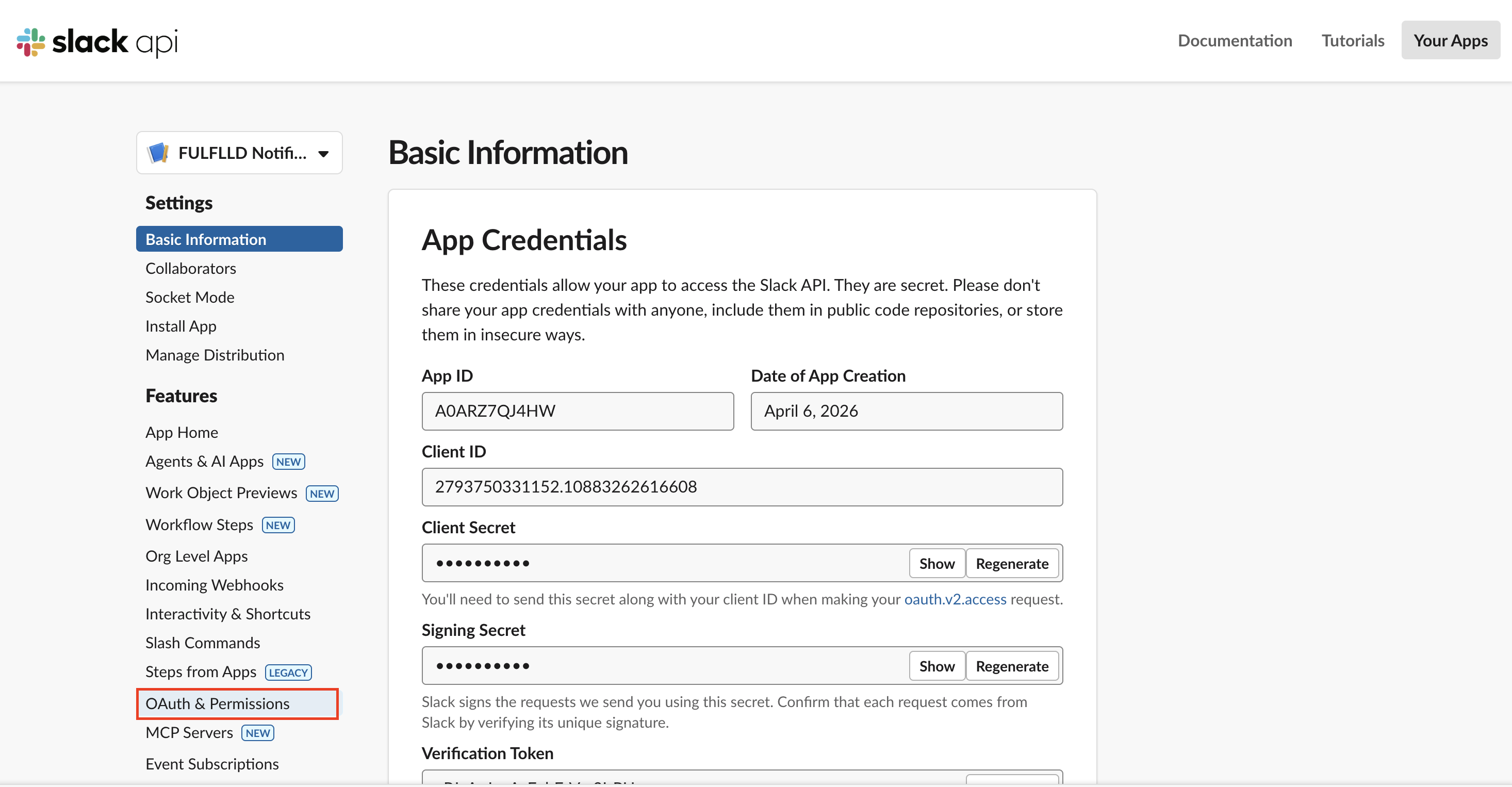
-
On the "OAuth & Permissions" page, scroll down to "Scopes" and under "Bot Token Scopes", add:
-
chat:write
-
chat:write.public (optional)
-
channels:manage
-
channels:read
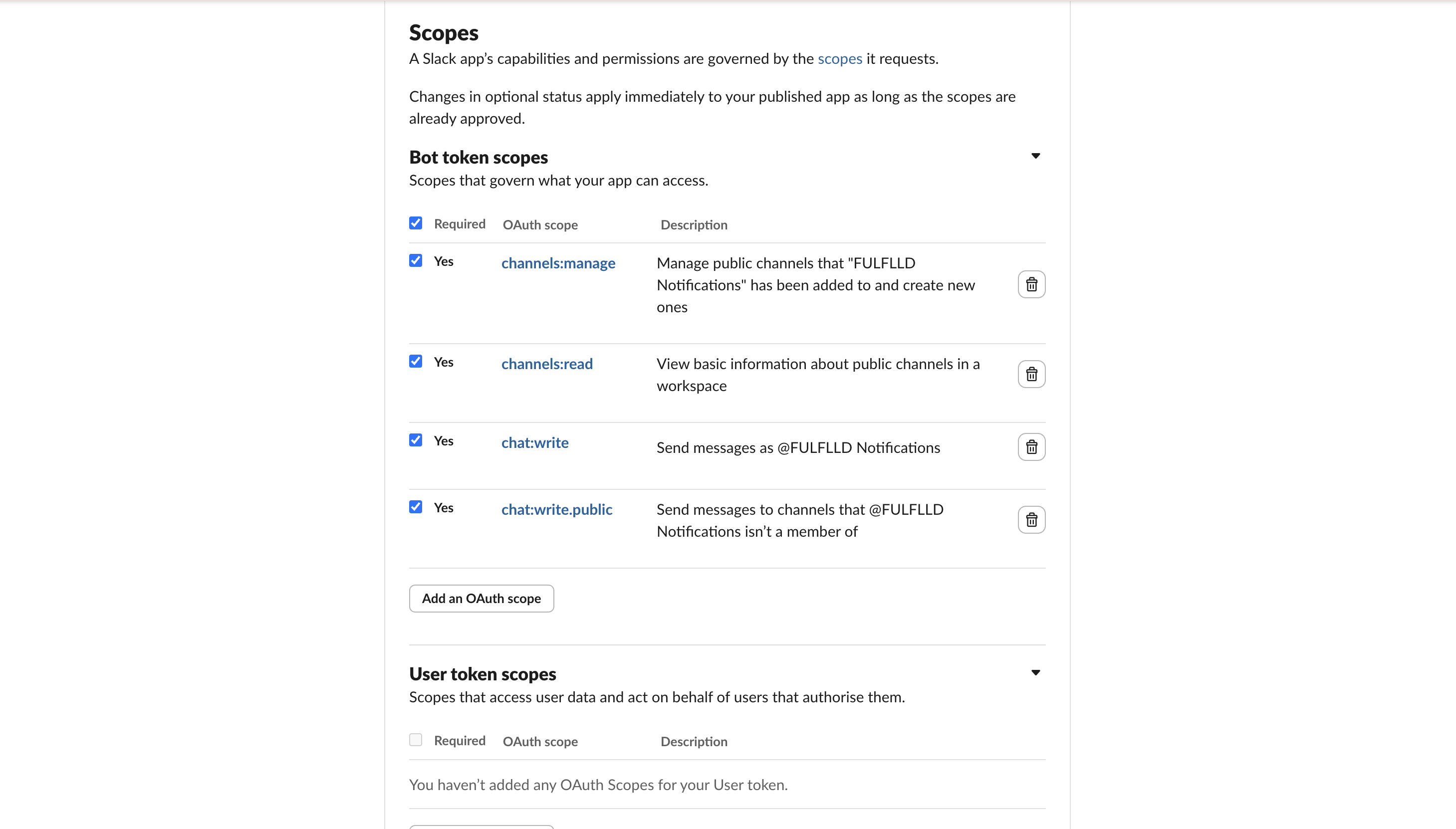
-
-
Scroll up and under OAuth Tokens click "Install to Workspace name". In this case it was "Install to FULFLLD". You should see your organization name here.
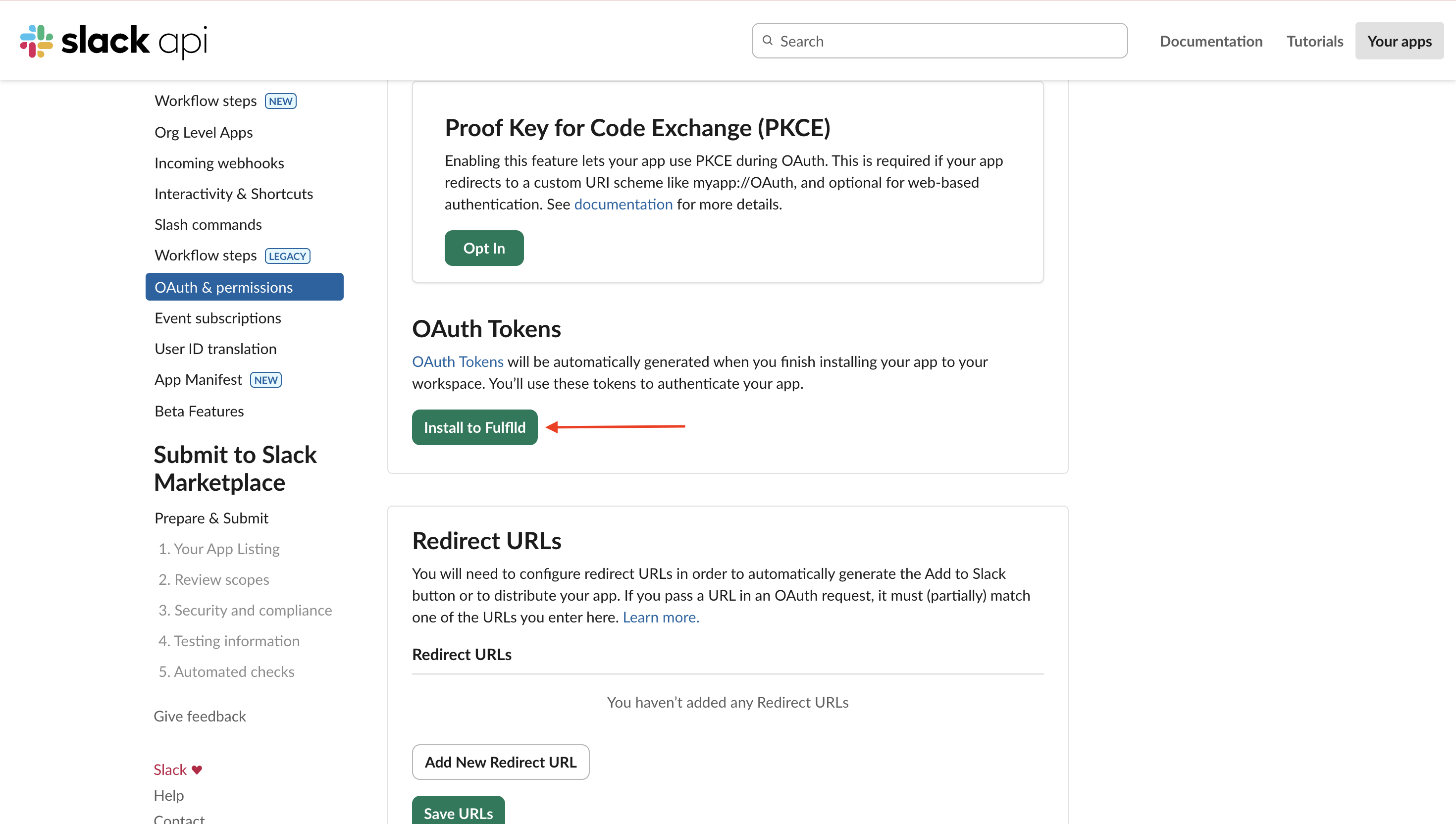
- You will be navigated to the next page where you need to click "Allow" to enable the permissions.
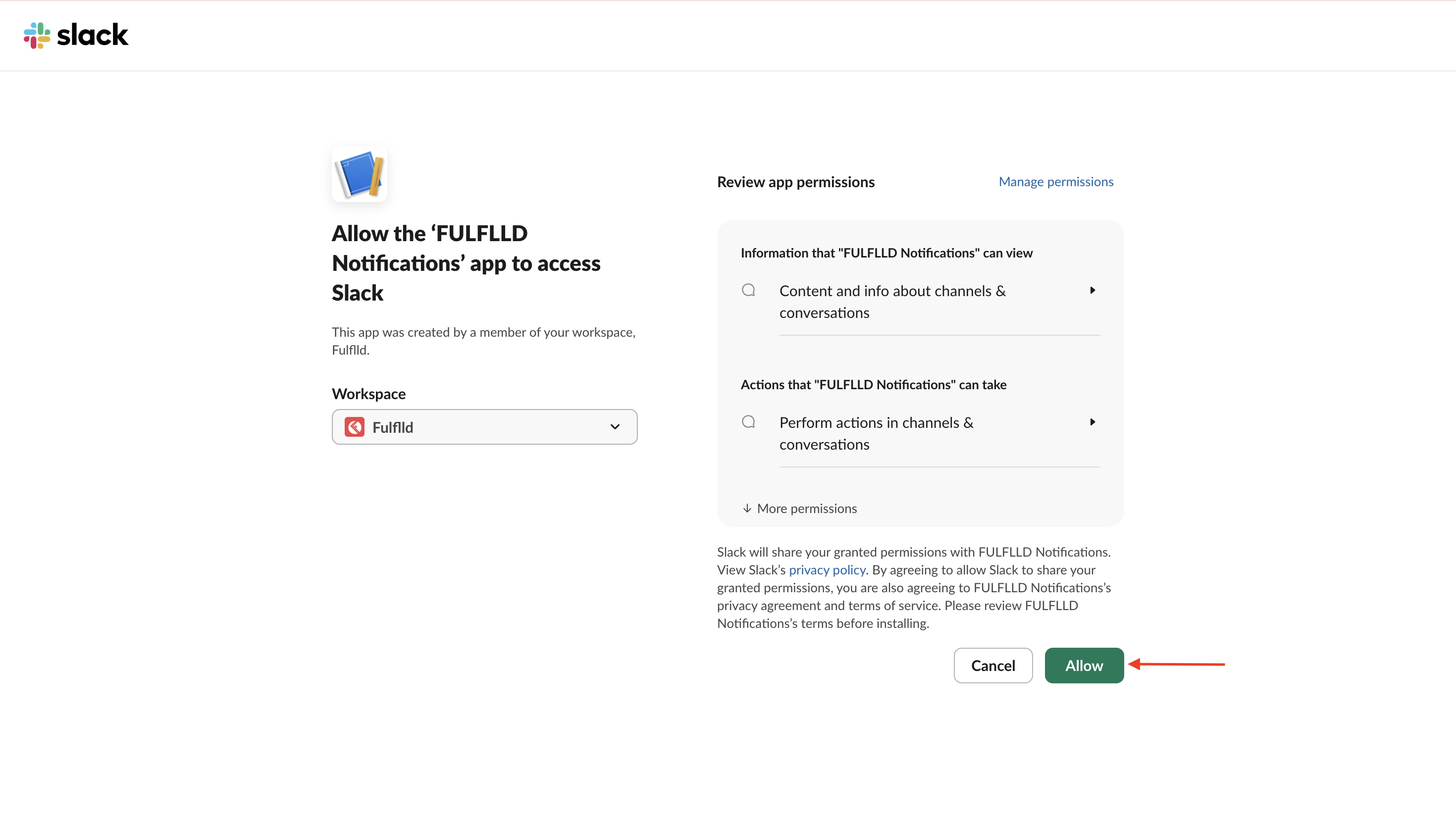
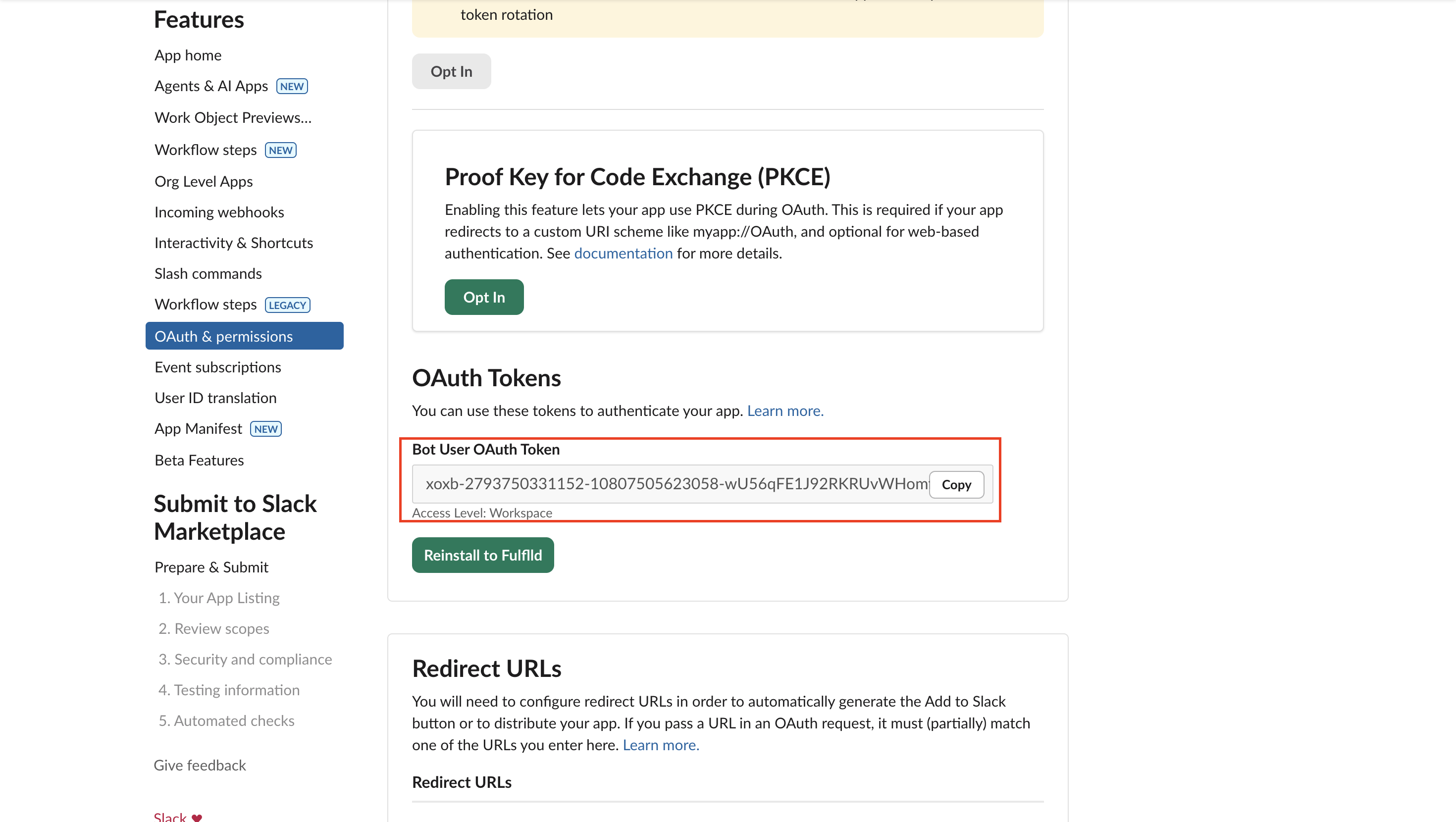
- After Allow, go to "OAuth & Permissions" and copy "Bot User OAuth Token" (starts with xoxb-).
Configure with FULFLLD
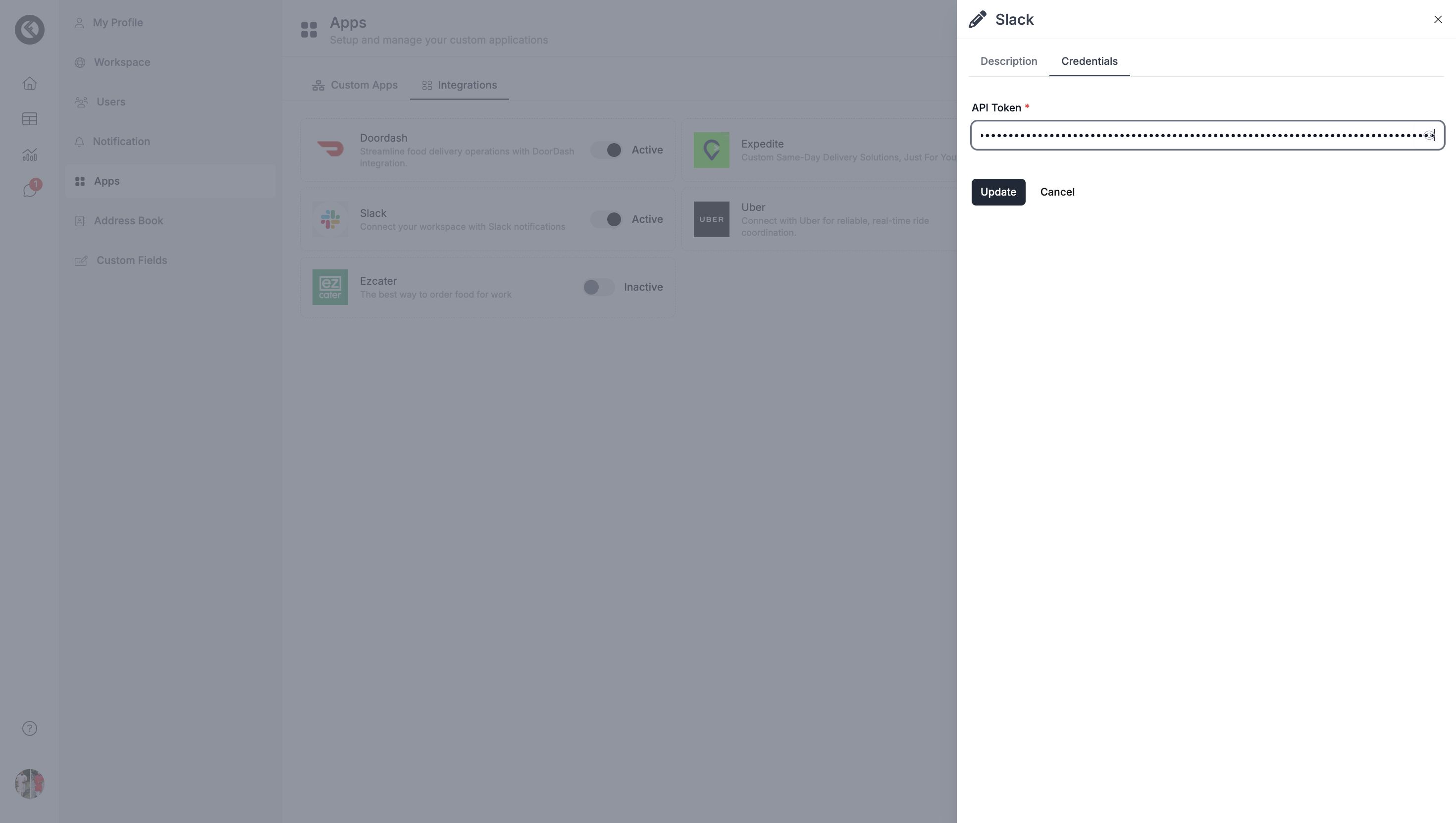
- Now, configure in FULFLLD. Open Slack Integration in FULFLLD, go to Credentials tab, paste the token into "API Token" and click Update.
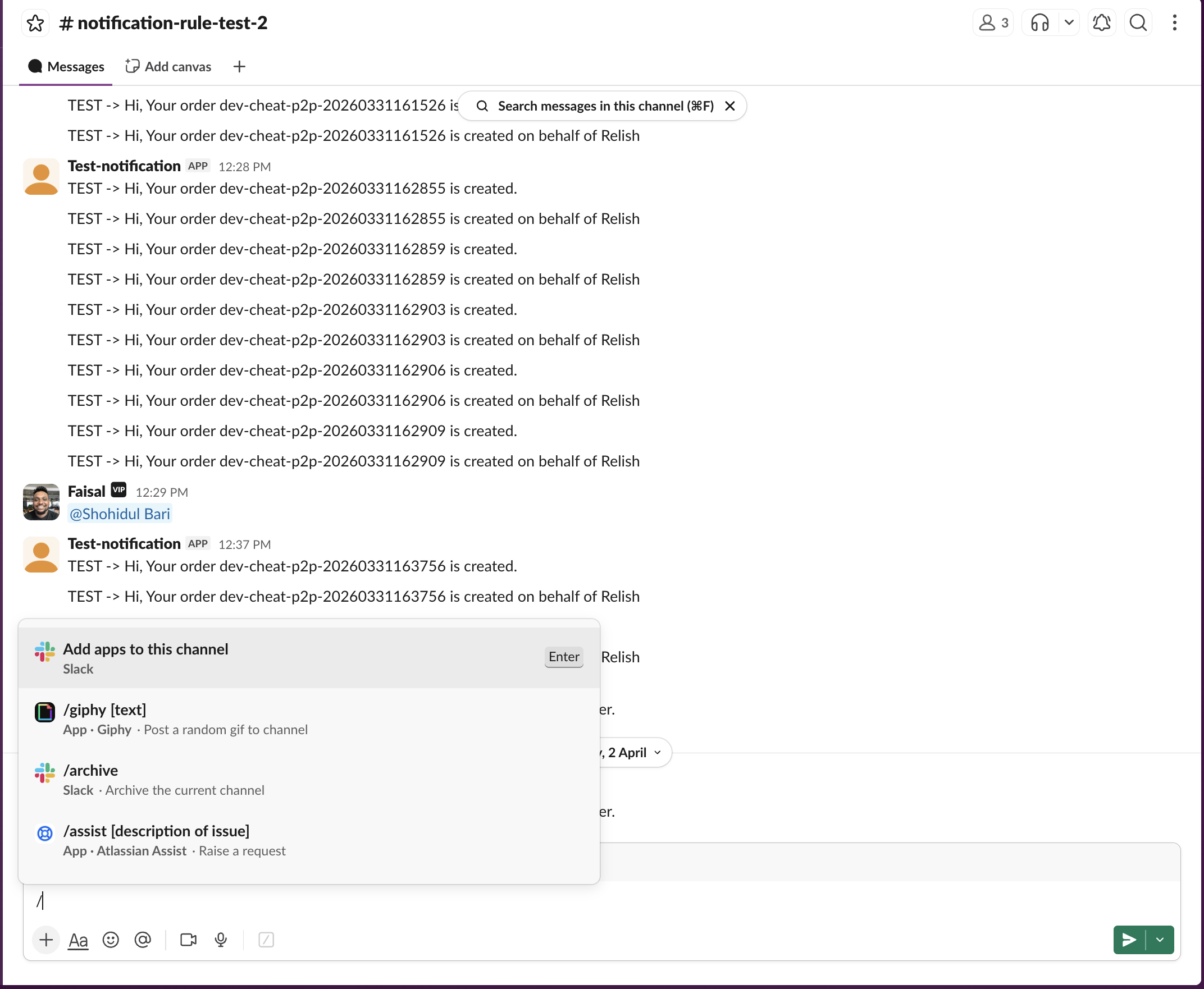
- In Slack channel where you want to receive notifications, run: /invite @YourAppName.
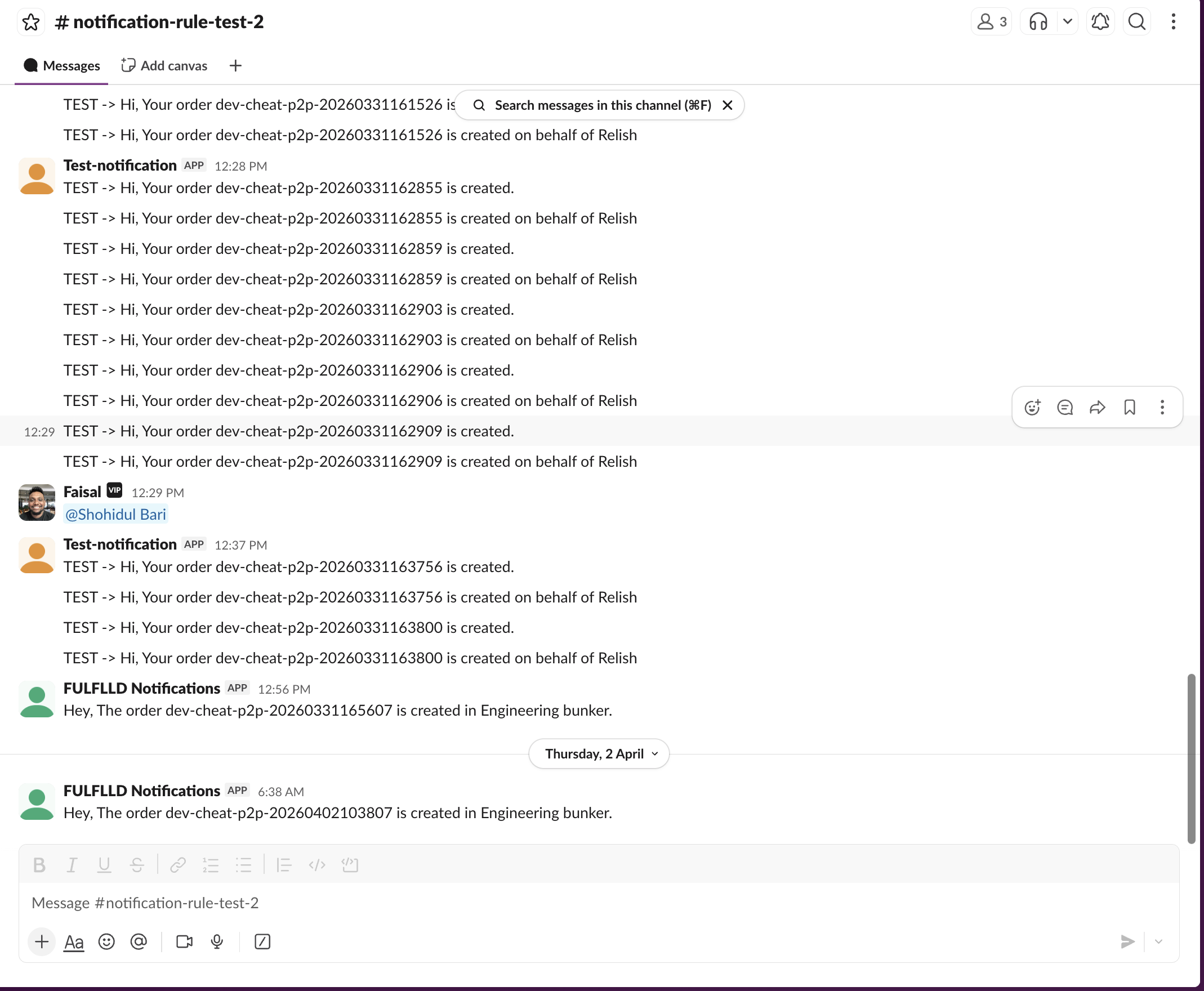
- Set up SMS rules and trigger an action in FULFLLD to verify if Slack message is received.
Updated 6 months ago