
Order Routing: Automatically Send Orders to DSPs
Order Routing allows you to automatically send newly created orders or routes to an internal workspace or external DSP (like Expedite, Uber, DoorDash, or Roadie) based on predefined rules.
This removes manual dispatching and ensures orders are always sent to the right delivery partner.
In this article you will learn,
- How to create an order routing rule
- How to define conditions (Market, Connection)
- How to automatically send orders to a DSP
- How to identify routed orders
Create an Order Routing Rule (Step-by-Step)
-
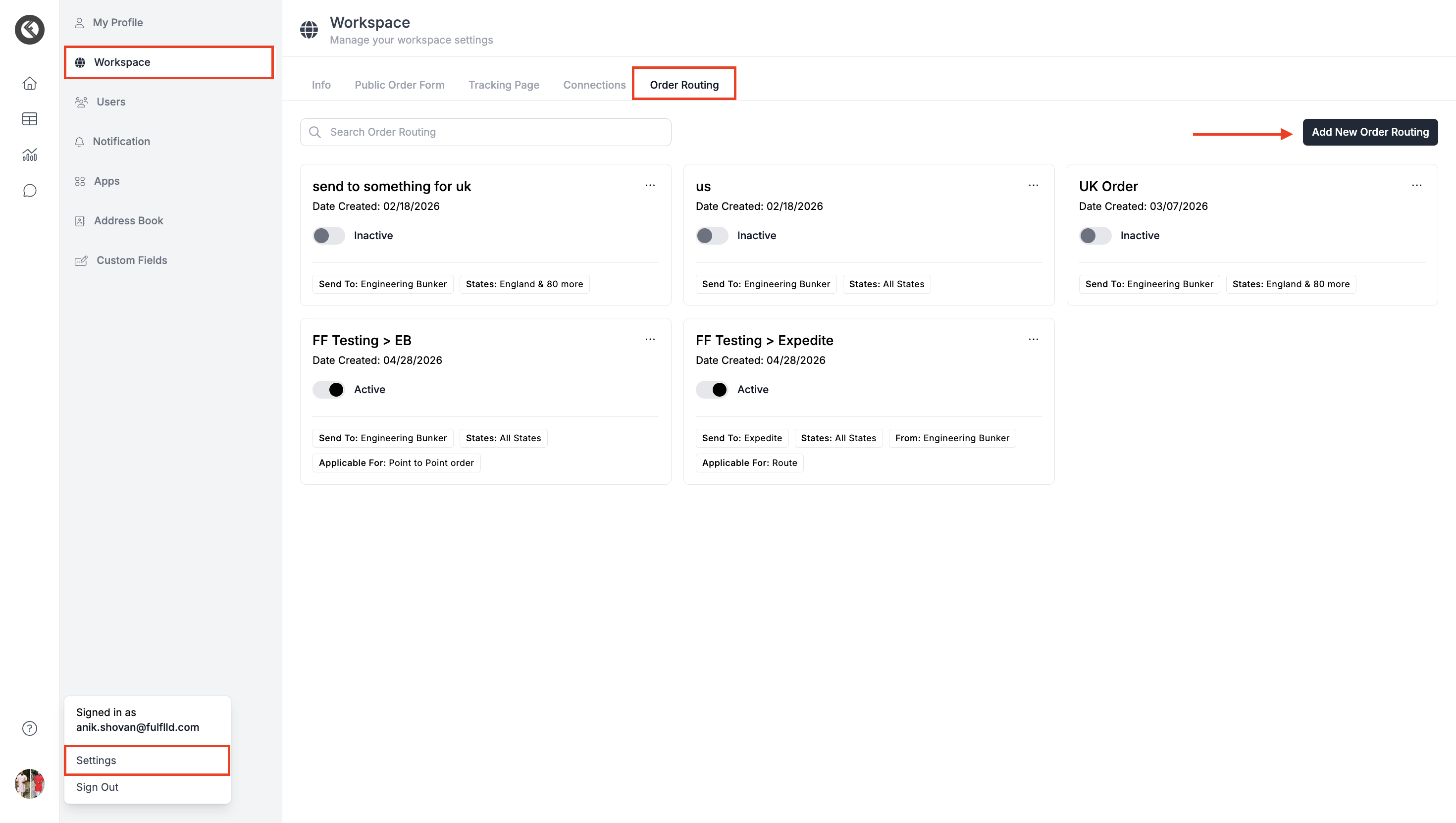
Go to Settings → Workspace → Order Routing and click "Add New Order Routing".
-
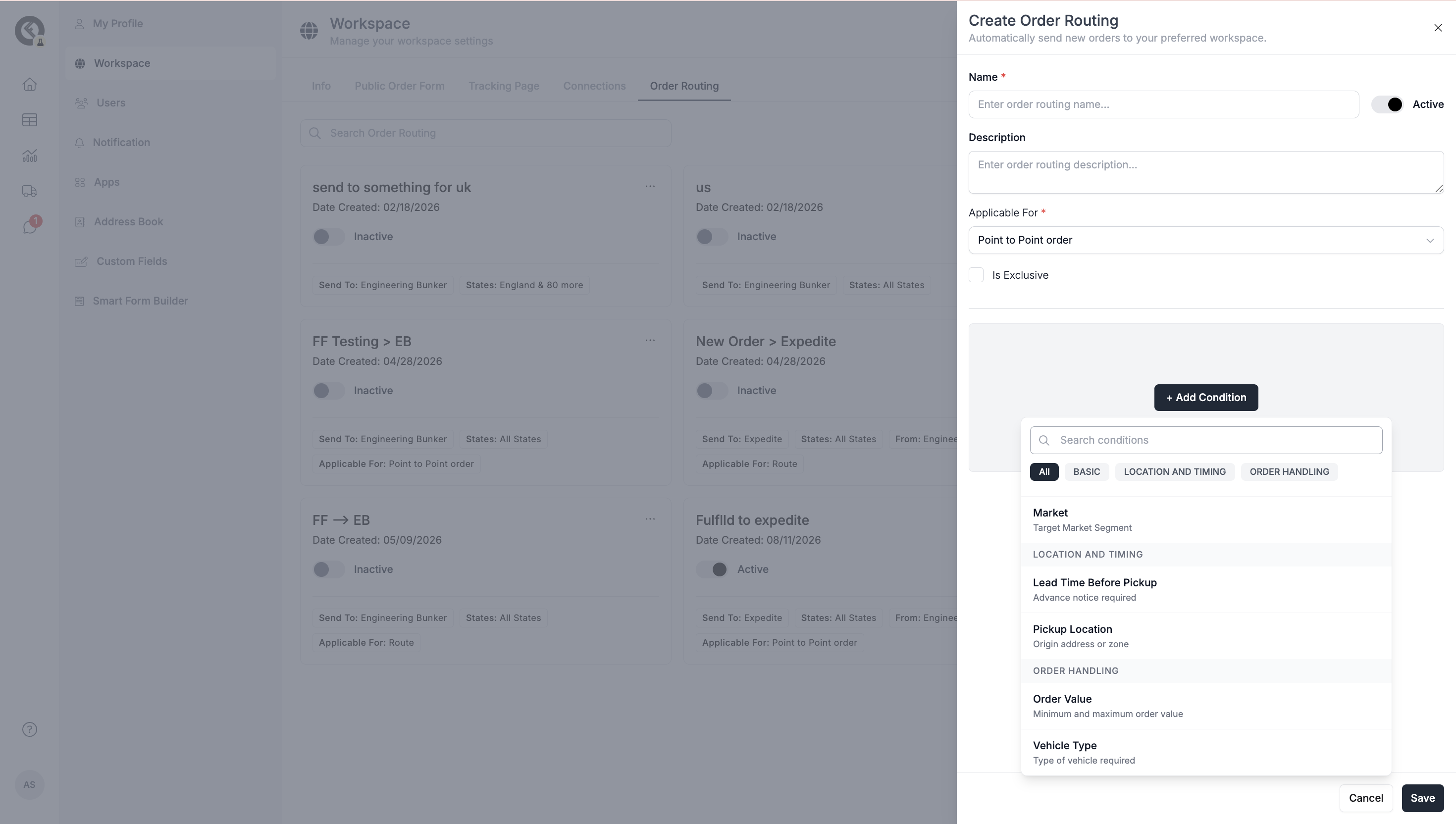
Configure the routing rule:
-
- Add Name (required) and Description (optional)
- Select Applicable For: Point-to-point orders, Pickup Only, Drop-off Only, Routes
- Click Add Conditions and set any of the following. You can use each condition independently or combine them for more precise logic:
- Market → Country/state/city (US, UK, Ireland)
- Connection → Specific connection (if applicable)
- Lead Time Before Pickup → Set a lead time (in minutes) if you want DSPs to receive the order a specific number of minutes before the scheduled pickup time
- Pickup Location → Set a pickup location if you want specific DSPs to pick up orders only from a particular address or zone
- Order Value Range → Set a minimum ("From") and maximum ("To") order value if you want specific DSPs to receive orders that fall within that value range
- Vehicle Type → Set a vehicle type if you want a specific DSP to receive orders only when they use that vehicle type. You can also set the Vehicle Matching Type (e.g., Exact) to control how strictly the vehicle must match
- Select the DSP: Internal DSP workspace or external DSP (Expedite, Uber, etc.)
- Click Save.
- Add Name (required) and Description (optional)
-
-
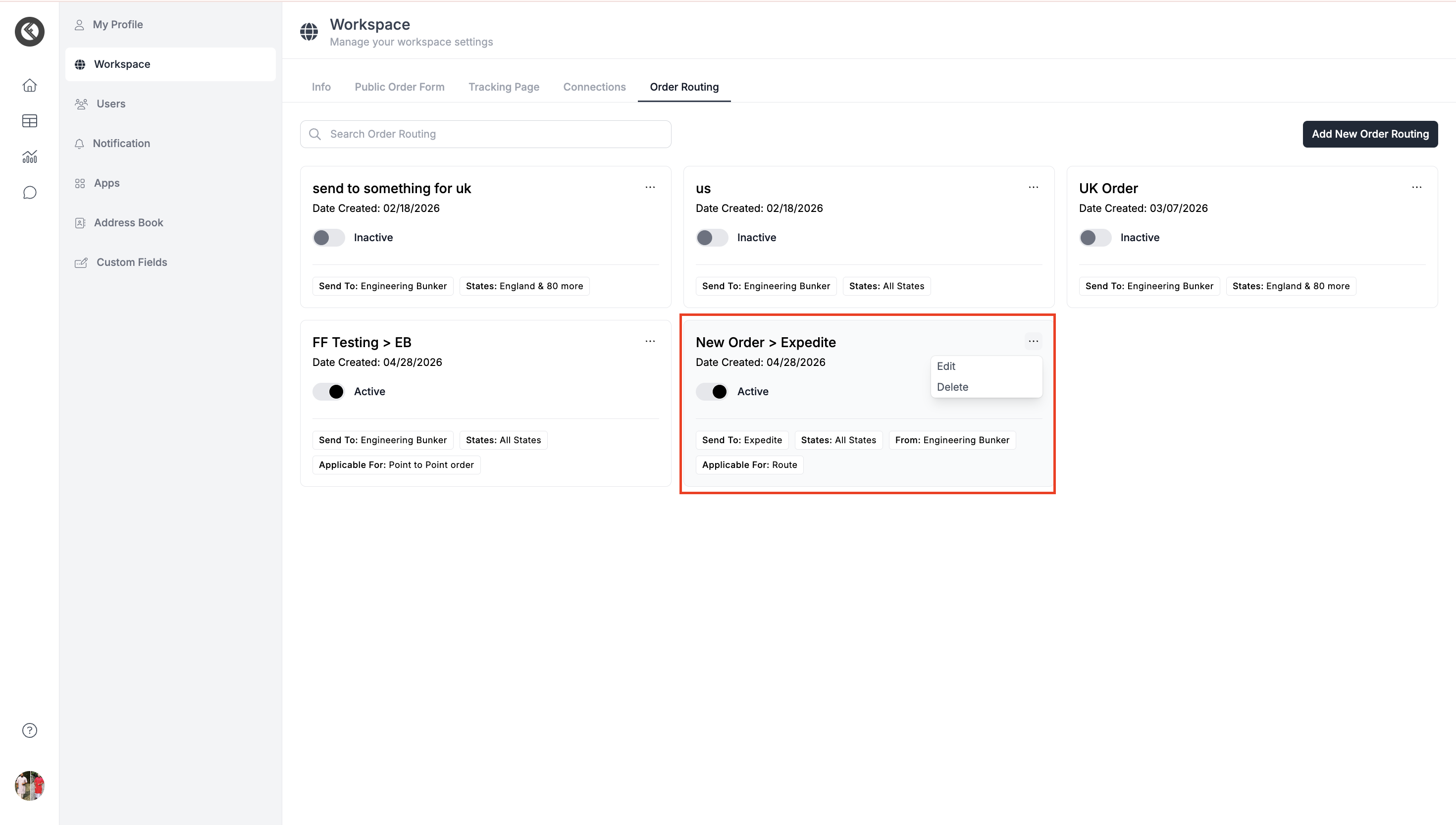
Once saved, the card will appear in the order routing tab showing all the conditions set for the logic. You can edit or delete the logic later as per your requirement.
How It Works & How to Verify
- Once saved, any new order or route created in the workspace matching the conditions is automatically sent to the selected DSP No manual action is required.
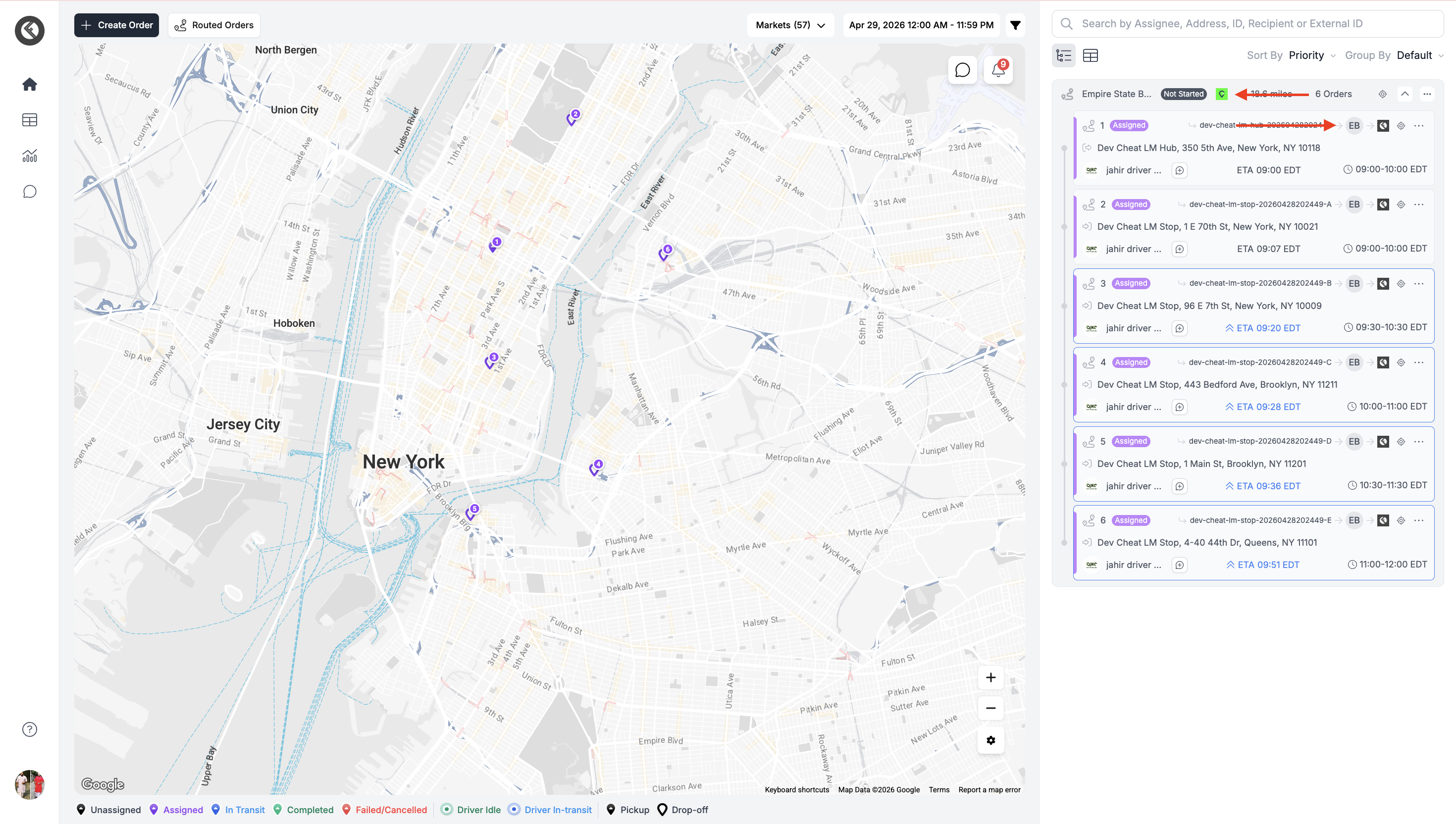
- You can verify routing from:
- Order Card → Shows internal DSP logo
- Route Card → Shows external DSP icon
Important Notes
- Order Routing only applies to new orders or routes created after the rule is saved.
- If an order or route does not match the selected conditions, it will not be routed automatically.
- Make sure the correct DSP is selected before saving the rule.
- Use clear names and descriptions so your team can easily understand each routing rule.
- If you try to create a routing rule with conditions that already exist, the system will show an error to prevent duplicate or conflicting logic.
Updated 28 days ago
Did this page help you?