
Managing Orders Across Multiple Markets (USA, UK & Ireland)
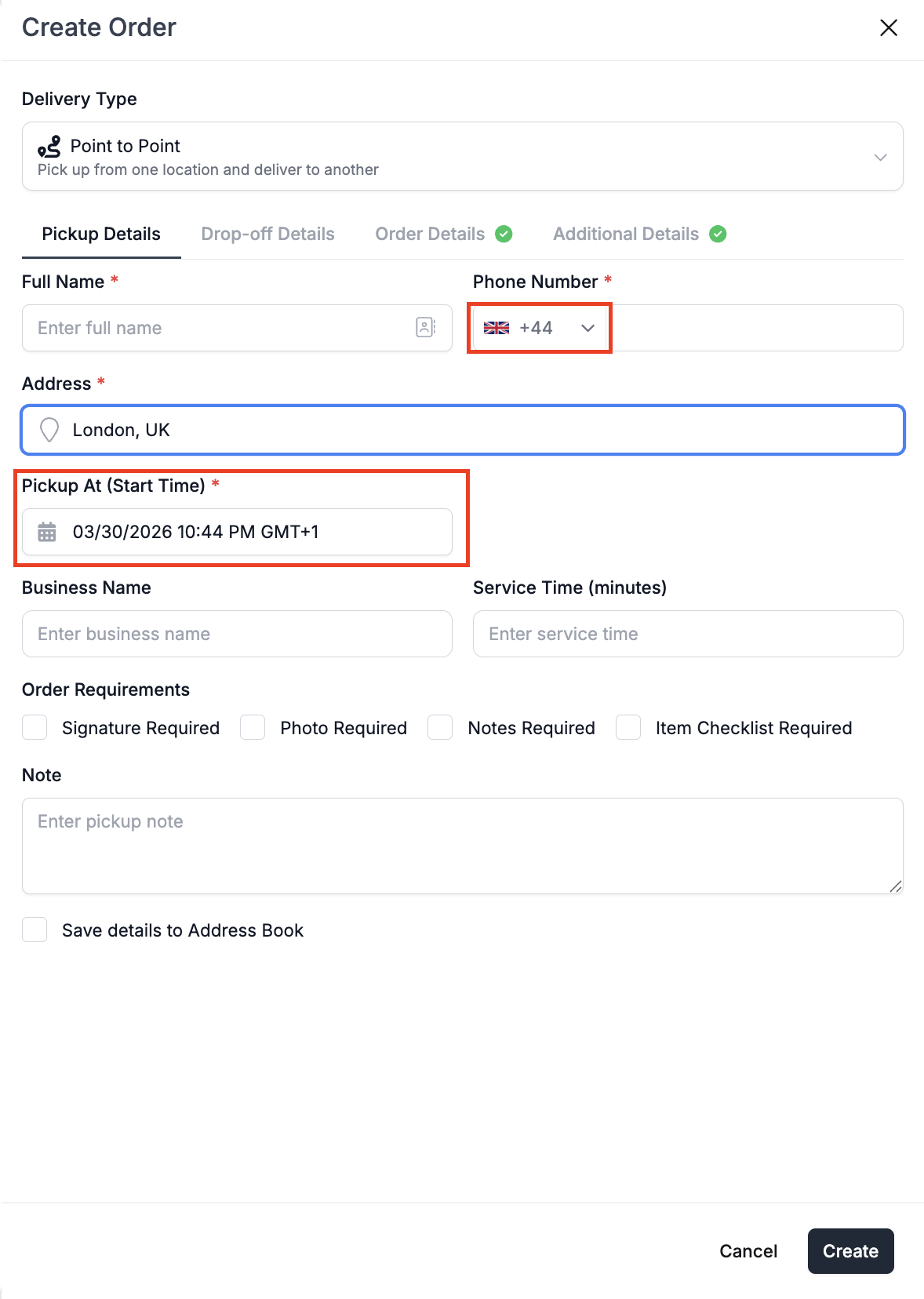
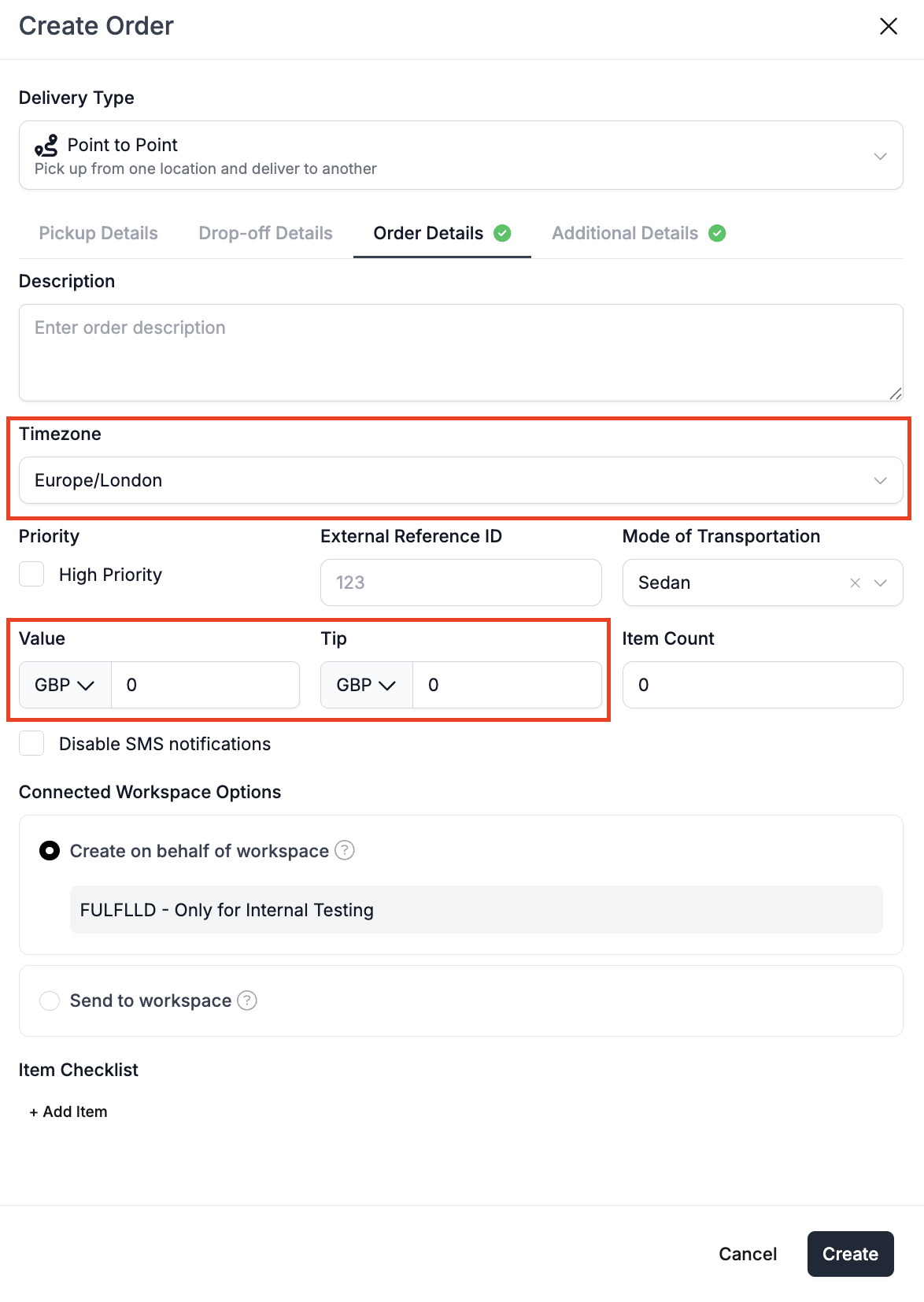
FULFLLD have expanded to support the United Kingdom and Ireland as well. You can create, manage, and track orders across all three markets from the same platform. Once you select a market, the platform automatically adjusts things like time zone (including GMT), currency, and country code. This applies across order creation, routing and notifications. The overall workflow remains the same, only the localization changes based on the selected country
In this article, you will learn how to
- Switch between Markets
- Set Time Zone Preference (GMT)
- Apply these changes across platform
Switch Between Markets
Open the Market Filter and select the country (USA, United Kingdom, or Ireland)
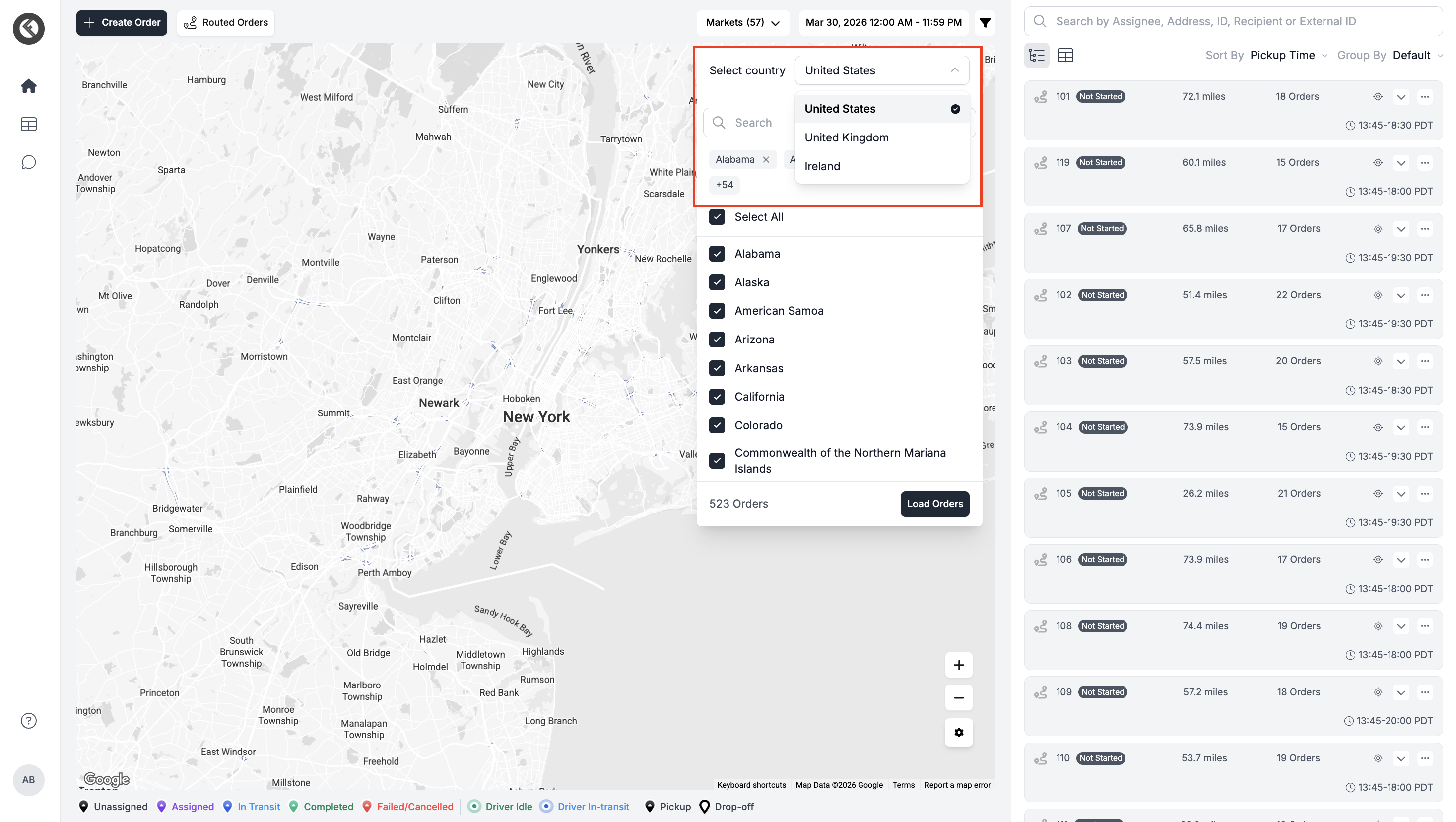
Choose your preferred states/cities (all of them are auto-selected by default) and click "Load Orders" to see the orders in the order panel on the right side of the screen.
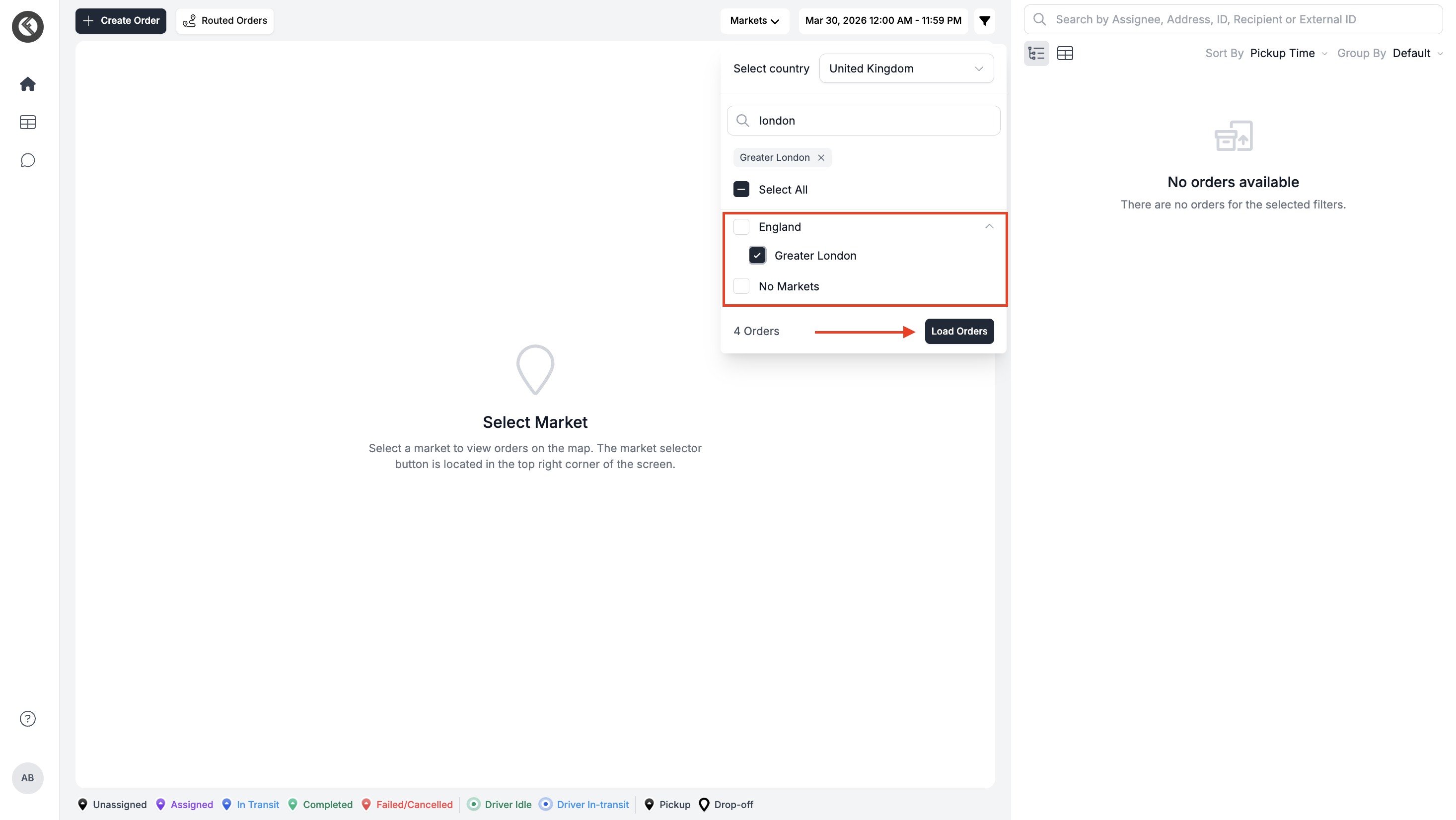
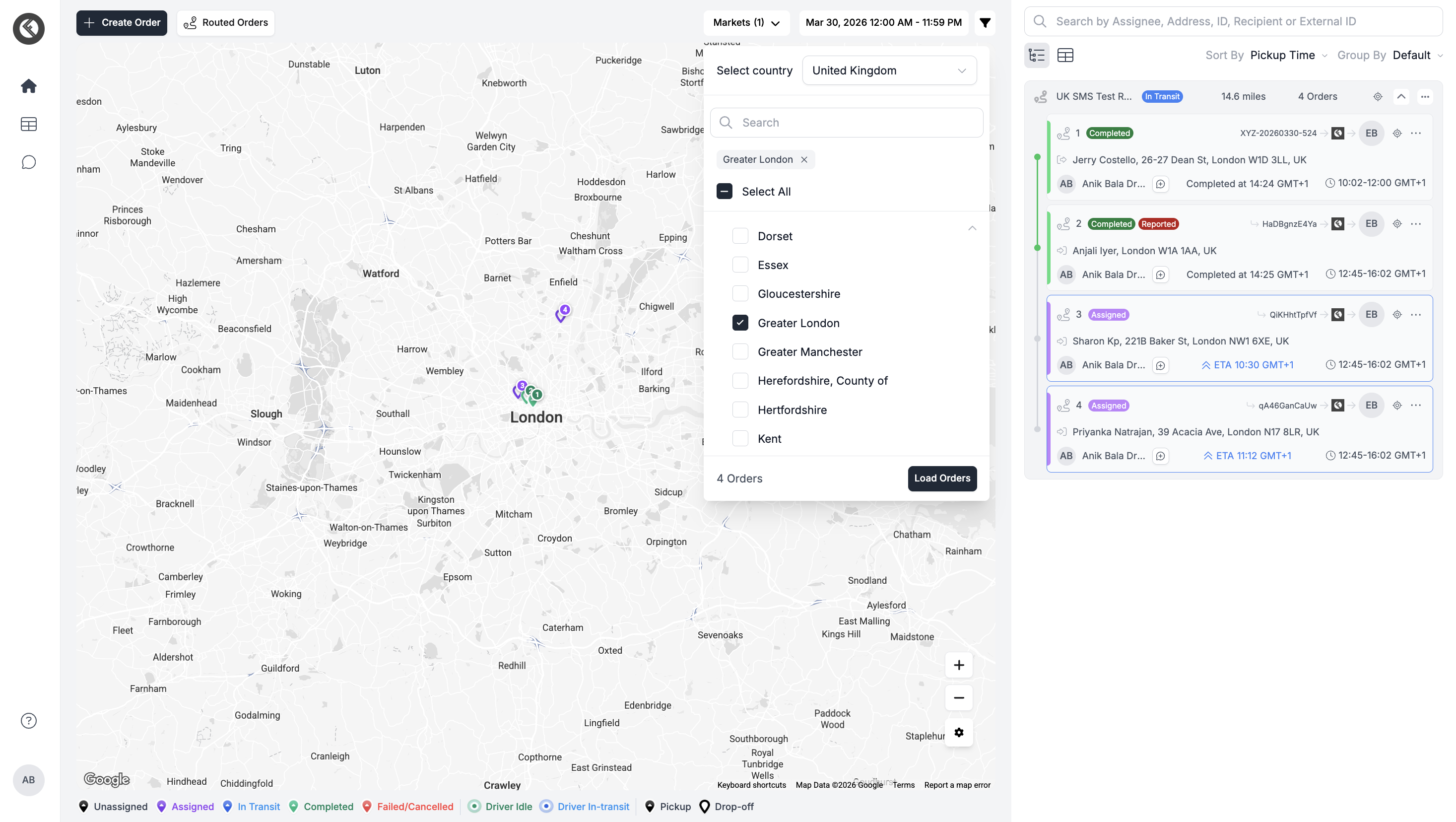
The system will instantly show orders from that region
Set Time Zone Preference (GMT)
Go to Preferences / Settings and select your preferred time zone (e.g., GMT for UK & Ireland)
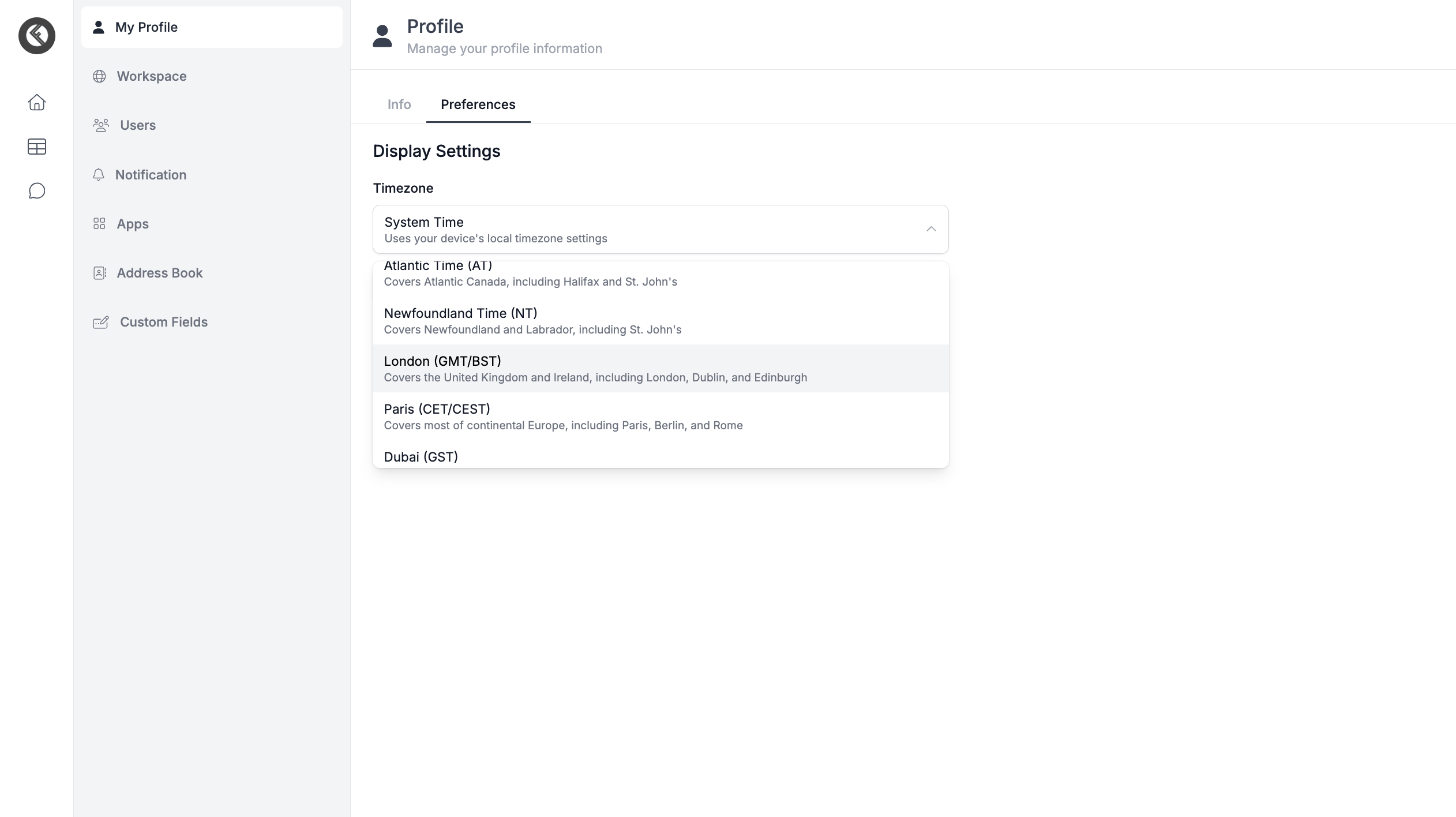
Click on Update Preferences.
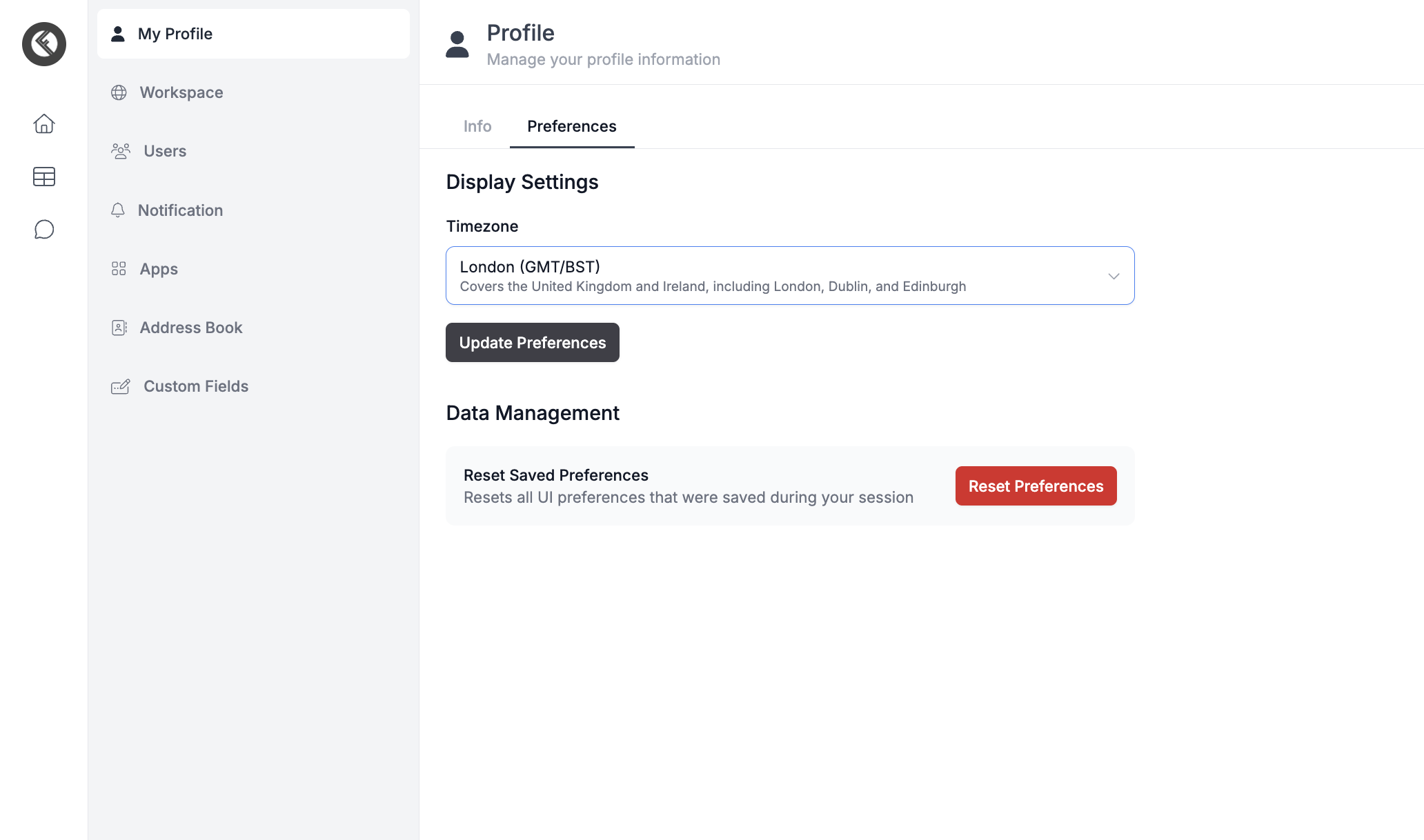
All time-related data (pickup, delivery, tracking) will follow this setting.
Where These Changes Apply
Time zone, currency, and country code automatically update in the order form based on the selected market.
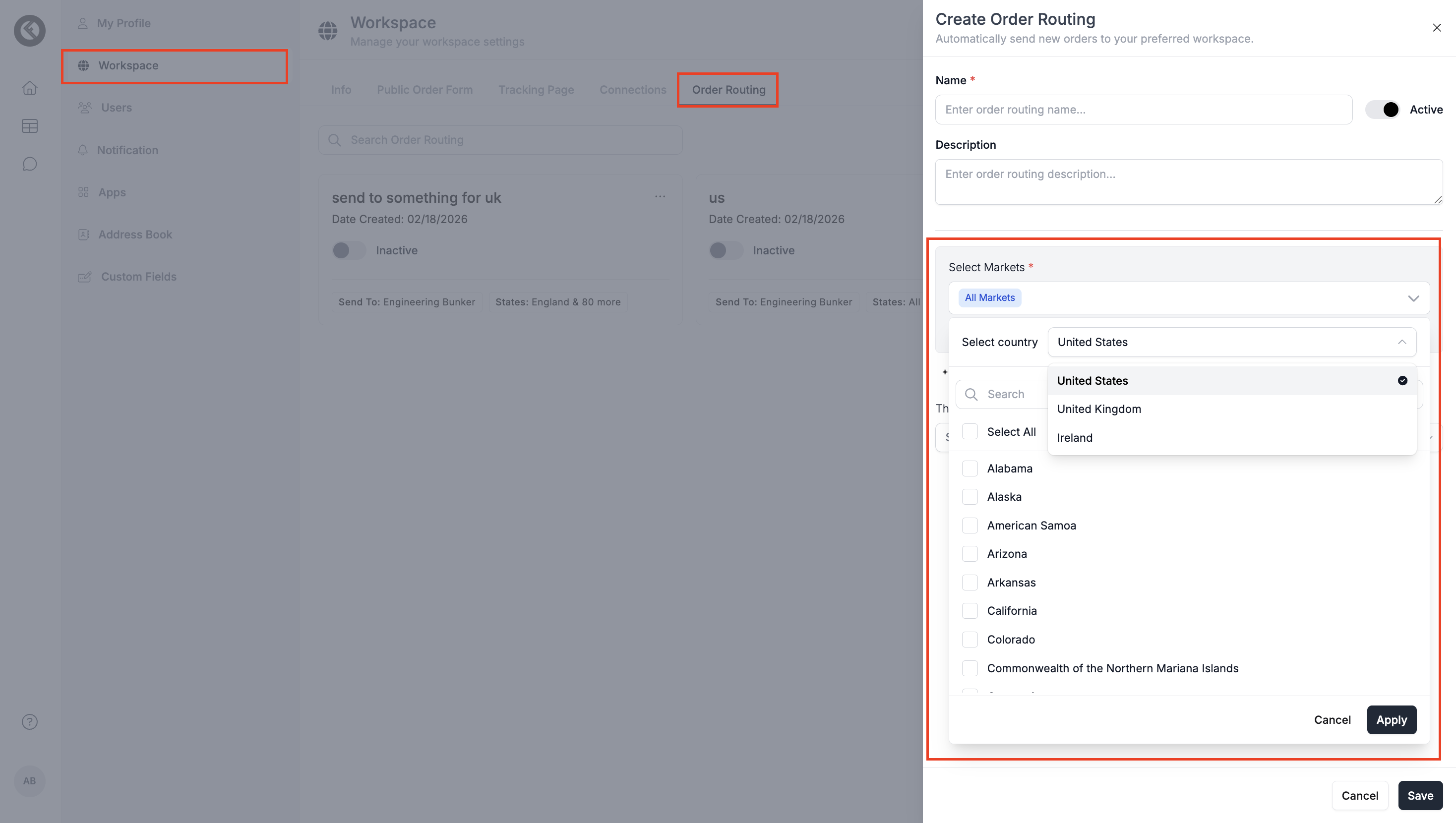
In order routing logic, you can configure routing rules specific to each market.
In SMS notifications, you can set up and customize messages based on different markets
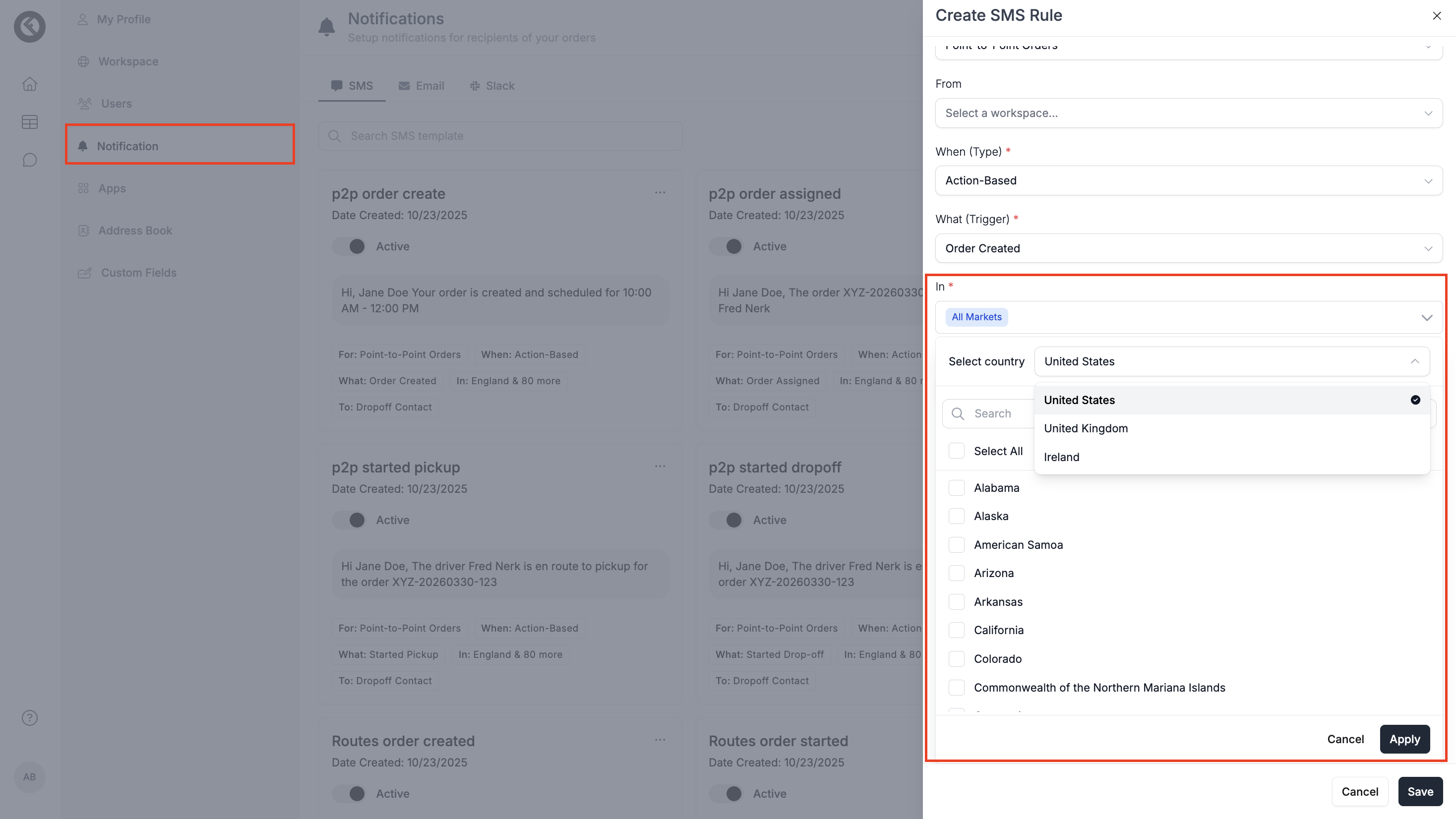
That's how you can now manage deliveries across USA, UK, and Ireland from one place without changing how you work. Just switch the market, and everything, time, currency, routing, and notifications adjusts automatically.
Updated 6 months ago